
Fully Automated AI DepartmentDijilab Auto
A Free Website
Hand over the plan and the production.
Auto does everything Core does and takes on production as well: copy, images, audio and video. Dijilab builds your website too — not an off-the-shelf setup but a site coded from scratch and built for SEO, so the technical fixes, the speed work and the page structure can be applied directly. The site stays live for as long as the subscription runs and closes when it ends; a domain name is not included. It runs on a monthly AI production credit, and you merge what it makes into your own video in Timeline. Your job is to approve.
9,999 ₺/month · no commitment
Sound familiar?
- You have nobody to produce, and chasing freelancers has worn you out.
- Content production is where every month gets stuck.
- You want video but production feels heavy.
- You want to test fast and scale what works.
What you get
The work included in the monthly fee. All of it runs from the panel and each item shows up in the report — what we call "included" is work you can measure.
- 01Everything in Core
- 02Website included — coded from scratch, built for SEO; live for as long as the subscription runs
- 03Creative Studio: copy, image, audio and video production
- 041,000 ₺ monthly AI production credit
- 05Timeline — audio + video merging
- 06Automated campaign and content production
- 07Member discount in the Store
- 08Approval flow and revision rounds
- 09Publishing calendar and scheduled posting
- 10Retargeting setup and tracking
- 11Per-channel results report
Use it first, decide after
The whole panel is yours for 14 days, with AI production open for the first 7. No card required; your name and email are enough. You walk the screens and try the production yourself — when the time is up the trial simply closes, nothing turns into a charge.
How it works
Five steps. You see what happens at each one, and nothing goes live without your approval.
- 1
Takes over the channels
SEO and social media connect to one panel. Everything Core does — plan, calendar, measurement — is here too; the difference starts after that.
- 2
Produces
A monthly 1,000 ₺ AI production credit covers images, audio and copy, combined into video on the Timeline.
- 3
Sends it for approval
Everything produced reaches you first. Approve it, request changes or reject it; unapproved work never goes live.
- 4
Publishes
Approved content goes out on its own channel, on time. You do not copy it into another tool.
- 5
Measures and retargets
Results are reported, a retargeting flow runs for the people who engaged but did not convert, and the next batch follows the measurement.
Screens in the system
The places you actually work in. What follows are schematics — they show the layout, not data. You walk the screens themselves in your free trial.

Production studio
Where images, audio and copy are made, and where revision rounds happen.
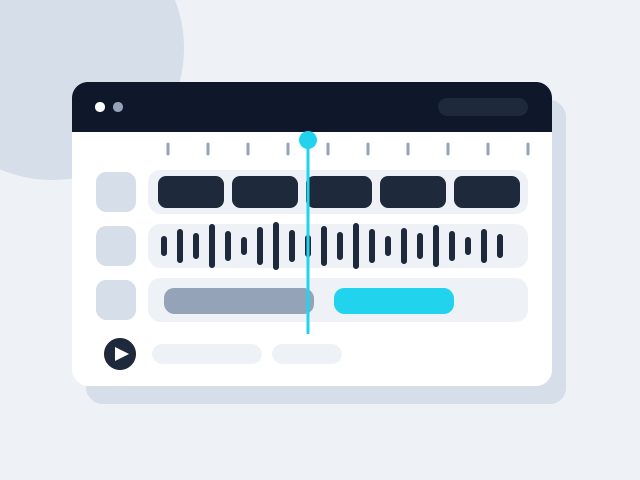
Timeline
The edit screen where the produced pieces become video.

Approval box
Where every piece reaches you before it goes live.

Credit and report
How much of the monthly 1,000 ₺ credit is used, and what the work returned.
What is in the panel
The panel's own menu. All of it comes with every package, even the smallest. The only difference between packages is Creative Studio — whether production happens inside the panel.
What is in the panel
Twenty-four screens. All of them open, even in the smallest product.
What follows are not marketing headlines; they are the panel's actual screens and what each one does. There is no module difference between the products — the only thing that changes is whether the production screen, Creative Studio, is open.
Daily work
One screen tells you where things stand when you sit down.
Dashboard
Work due today, work running late, items waiting on your approval and the latest activity, all on one screen. Upcoming key dates sit here too, so the campaign calendar never takes you by surprise.
Tasks
Every job has an owner, a start date, a due date and a state. Filter by assigned to you, waiting, or has an open revision; hide what is finished. If a job is unclear you ask for clarification, and it does not move until the answer arrives.
Projects
Jobs are grouped under clients and projects rather than floating alone. Active projects stay separate, so which job belongs where is never lost.
Live Office
Shows what your agency is doing right now: which job is open and which specialist is on it. You look instead of waiting for a report.
Approval and communication
Nothing publishes without your approval — there is one gate.
Approval Center
Everything produced lands here first. Approve and it publishes; ask for changes and it goes back to production with your note. You decide which kinds of work may auto-approve, and cover art is always asked about.
Messaging
Conversations live under the job instead of getting lost in email. You can send an image, say "review this", and see the response in the same place.
Meeting Room
The panel generates a meeting link and shares it as an invitation. It connects to Google Calendar, so meetings do not move to a separate tool.
Calendar
Deliveries and meetings on one calendar. See open slots and request a meeting; delivery dates land automatically with the jobs.
The company's memory
Every job starts from today, not from scratch.
Company Memory
Brand decisions, preferences, past work and what has been learned are kept as lasting records. Each record carries a confidence level; you can correct or archive it. Production feeds from here.
Strategy & Brand
Brand voice, audience, positioning and visual rules in one place. When a new specialist joins the work, nobody has to explain it all again.
Library
Your images, video and documents live here, and posts and production draw on them. Upload files or connect an external source. A desktop agent (Mac and Windows) syncs your folders with the panel.
Company Details
Legal name, tax office, address, founding year, headcount, social accounts. Quotes and invoices stop asking for the same details over and over.
Channels and measurement
Published work is not left where it landed.
Social Media
A workspace per brand, with account access managed separately on the agency and client side. Publishing queue, community and performance in the same place.
SEO
Site by site: technical audit, keyword and content plan, rank tracking. Visibility inside AI answers sits under this heading too.
Reports
Weekly and monthly summaries are prepared on their own. Which channel actually brings work is on one screen, and the report states measurements, not guesses.
Digital Marketing
Ad plan, budget tracking and campaign setup in the panel. The ad budget itself is what you pay the platform directly, and it stays yours.
The business's own tools
Any repeating job can become a module.
Business Tools
Small applications inside the panel: quote building, a digital business card and the like. If what you need is not there you open a tool request, describe what you expect, and it gets written.
Directory
Your business directory lives in the panel: people, companies, notes. Filter by sector; it sits alongside quote and conversation history.
Knowledge Base
Company documents kept searchable in the system, so questions from inside get answered from here.
Members and permissions
Invite your colleagues and decide who approves what. Active sessions and security settings are in the same place.
And the production screen: Creative Studio
OPEN in this product. Images, audio, video and copy are produced inside the panel, assembled at the edit desk and published from there.
Business Tools
The panel does not only run the work. It carries the business's own tools too.
Sending a quote, filling in a contract, tracking customers — instead of a separate subscription for each, you open them inside the panel. The catalogue holds close to fifty-four tools under nine headings; eight of them run in the panel today and the rest are written on request.
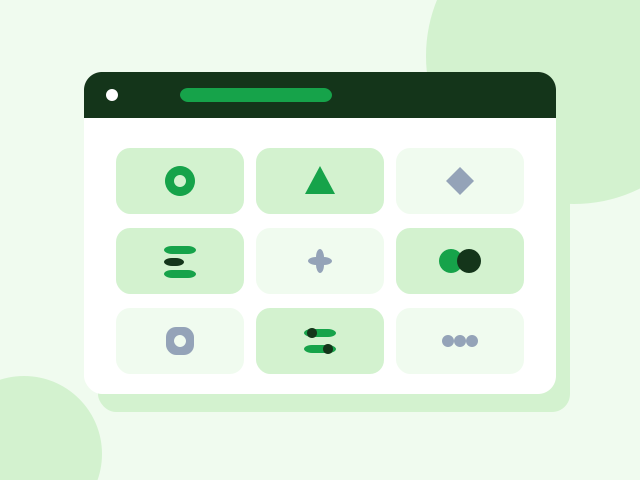
The eight tools running in the panel today
Quote Builder
Send a branded quote within minutes
One-off
Customer CRM
Who belongs to whom, which job sits with whom
Monthly
Content Production Module
Copy, images and video in your brand's voice
Monthly
SEO Analysis Module
Find what your site is losing, and fix it
Monthly
Custom Reporting Panel
The numbers of the work on one screen, no guessing
Setup + monthly
Company Knowledge Assistant
Find company information by asking
Setup + monthly
Contract Wizard
Fill a contract from a ready template and download it
One-off
Digital Business Card
A corporate card shared through one link
One-off
Nine headings in the catalogue
- Sales & CRM
- Finance & Collections
- Operations & Orders
- Stock & Purchasing
- Customer Experience
- Team & Field
- Data & Reporting
- Documents & Company Info
- Marketing & Growth
If what you need is not there, you have it written
When you want a tool from the catalogue you open a request: you describe what you expect, the scope is agreed, it gets written and added to your panel. Any repeating job can become a tool — including one specific to whatever your company actually does.
Creative Studio
Produce, assemble, publish. All on one screen.
This screen is the only difference between the packages. AI produces the image, the audio and the video; you combine them on a timeline at the edit desk; the finished video goes straight from the panel to social media. No downloaded files, no second program to open, no agency to wait for.
Produce
Write what you want: an image, audio, a short video or copy. You pick the model and the size, the job joins the queue and lands in your library when it is done. Every generation draws on your monthly AI credit, and the balance stays on screen.
Assemble
The edit desk is a timeline: order the scenes, set their durations, lay text and audio over them. A scene can come from what you generated, from the library or from your own computer — one and the same door.
Publish
The video renders in the panel and lands in Social Media as a draft together with its caption. From there you publish it — or turn the creative that worked into an ad. The measurement is already in the same panel.
Creative Studio is open in Auto and in the creative option of Social/SEO. It is not in Core — Core manages production, it does not produce.
Opening SoonThe first 30 days
So the start is never vague: what happens in which week is written down up front.
Week 1
Channels are connected and the brand voice and visual language are worked out. First production samples reach you for approval.
Week 2
Production starts in the approved direction; the first pieces become video on the Timeline and go live.
Weeks 3–4
A publishing rhythm settles. The first measurements come in, retargeting switches on, and next month's production follows the numbers.
Who it is for
Companies with nobody to produce
No designer, editor or copywriter, and you are tired of chasing freelancers. Auto takes production on as well.
Brands where output stalls monthly
The plan and the calendar exist, but the content never arrives. If production is the bottleneck, you need Auto rather than Core.
Anyone who wants to test fast
Producing many variants and scaling whatever lands. That pace is not possible by hand.
What gets measured
The report arrives monthly and every line has a number behind it; I do not write sentences like “engagement improved”.
- Work produced
- How many images, videos and pieces of copy shipped this month.
- Credit usage
- How much of the monthly 1,000 ₺ credit is spent; more can be bought when it runs out.
- Published results
- Reach, engagement and clicks, channel by channel.
- Retargeting return
- Visits and conversions coming from the retargeted audience.
What it does not do
The limits are written up front. Anything you find out after paying is never good news.
It does not fund your ads
The package covers production, publishing and management. Money paid to the platform is yours.
The credit is not unlimited
It runs on a monthly 1,000 ₺ credit. Heavy video work can exhaust it before month end; extra credit can be bought.
It never skips your approval
Production is automatic, publishing is not. Nothing you have not approved goes live — that rule is written into the system.
How it starts
- 01
Start the trial
Name and email is all it takes. No payment details, no setup fee.
- 02
Introduce your brand
The system learns your company, your voice and your goal.
- 03
See the first piece of work
The system prepares the first job; the moment you approve it, it goes live.
Common questions
What if the credit runs out?+
You can buy more or wait for the new period; your existing work is unaffected.
Who owns what it produces?+
You do. Even if you stop the plan, everything produced stays with you.
Can anything go live without approval?+
No. Every piece lands in the Approval Center first; nothing publishes until you approve it.
How much production does the monthly credit buy?+
It depends on what you make: an image and a video do not cost the same. You pick the model and the size BEFORE each generation, and what it spends is recorded — so you can see where you stand mid-month.
Who edits the video?+
The system produces the scenes; you order and approve them at the edit desk. A scene can come from what was generated, from the library or from your own computer, and landscape, vertical and square all come out of the same edit.
Will what it makes look like my brand?+
As much as you put into the company memory. Your brand voice, colours, past work and preferences live in the panel, and production draws on them. That is why the first week is spent filling that memory.
Other Dijilab products