Business Tools
Order Tracking
Every step of the order is visible
500 ₺ / one-time
Prices include VAT; the price shown is the total you pay.
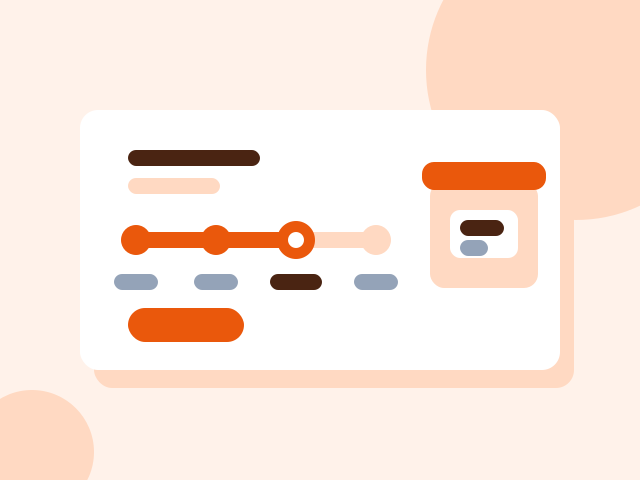
Follow orders status by status and share a customer-specific tracking link. Your production and delivery flow on one screen.
Approval before delivery + 2 revisions: One-time products are not refundable; you approve the work before delivery and two rounds of revisions are included. Your statutory rights are reserved. Details: Refund Terms
Secure payment
Buy now takes you to your Dijilab panel. You open your account and pay on a secure payment page; the product shows up in your panel.
What's included
- Status tracking
- Customer tracking link
- Filter and search
- Export
Every business that takes orders hears the same question several times a day: what stage is the order at? One person checks with the workshop, another scrolls through a WhatsApp chat, a third opens a spreadsheet. Order Tracking keeps every order's stage on one screen. You update the status; the customer sees the same information through their own tracking link. Filters and search find what is waiting, and the list exports when you need it.
Who is it for?
- Workshops, print shops, furniture makers and food producers that make to order
- Teams that keep telling customers on the phone which stage their order has reached
- Businesses tracking orders across a spreadsheet, a notebook and message threads, and missing delivery dates
- Teams where different people run production and delivery and need the same information on one screen
Who is it not for?
- If you already track orders in your e-commerce platform's admin, a second tracking screen is usually unnecessary.
- A few orders a month, all handled by one person? A shared spreadsheet is enough.
What is delivered?
- Status tracking: each order moves through the stages you define.
- Delivery date: the due date sits on the record itself.
- Customer tracking link: customers see their order's stage without calling you.
- Customer updates: the customer's view comes from the same record as yours, so nobody keeps two lists.
- Filter and search: narrow the list by status or customer.
- Export: take the order list out as a file for accounting or reporting.
- One screen in the panel: the whole flow lives under Business Tools in your Dijilab panel.
How does the process work?
- 1PurchaseChoose Order Tracking in the Store. Purchase and payment happen in the Dijilab panel (panel.dijilab.app).
- 2StagesThe steps an order goes through are mapped out, such as received, in production, ready, delivered. The list follows your work, not a stock template.
- 3Tracking linkWhat customers see when they open the link is decided, so only information meant for them appears.
- 4Test and approvalBefore delivery you run a sample order through every stage and open the customer link yourself. Approval before delivery + 2 revisions; your statutory rights are reserved.
- 5Daily useOnce approved, you log new orders, move them forward and share the link with the customer.
Works well with
- Customer Tracking (CRM) — Holds the record, notes and next follow-up for each customer who orders.
- Custom Reporting Panel — Shows order data next to sales and operations data, with charts and periodic summaries.
- Proposal Builder — Covers the step before the order, the proposal, in the same panel.
- Dijilab Core — With Core, orders sit in the same panel as your work plan, task board and monthly report.
Frequently asked questions
How does a customer open the tracking link?
Each order gets its own link. You send it to the customer, who opens it and sees the order's current stage. How you send it is up to you: a message, an email or a note on the invoice. What the link shows is decided with you during setup.
Does it connect to shipping carriers?
Carrier integration is not among the product's features. The system tracks your internal stages, from the moment an order comes in until delivery. A link to a shipping carrier would be separate work, with its scope agreed in writing before anything starts.
Where is the data kept, and can it be exported?
Order records stay in your own Dijilab account and belong to you alone; another company cannot see them, even if it uses Dijilab too. Export is one of the delivered features: take the list out as a file whenever you want and use it for accounting or reporting.
How do revisions and refunds work?
Order Tracking is a one-time product. Approval before delivery + 2 revisions; your statutory rights are reserved. The stage list, the customer's link screen and the filters all reach you before delivery, and any gap you spot is fixed in a revision. Details are on the Refund Terms page.
Comments
No comments yet. Be the first to write one.
From the same category

 New